Paper Prototype
Feature Designs
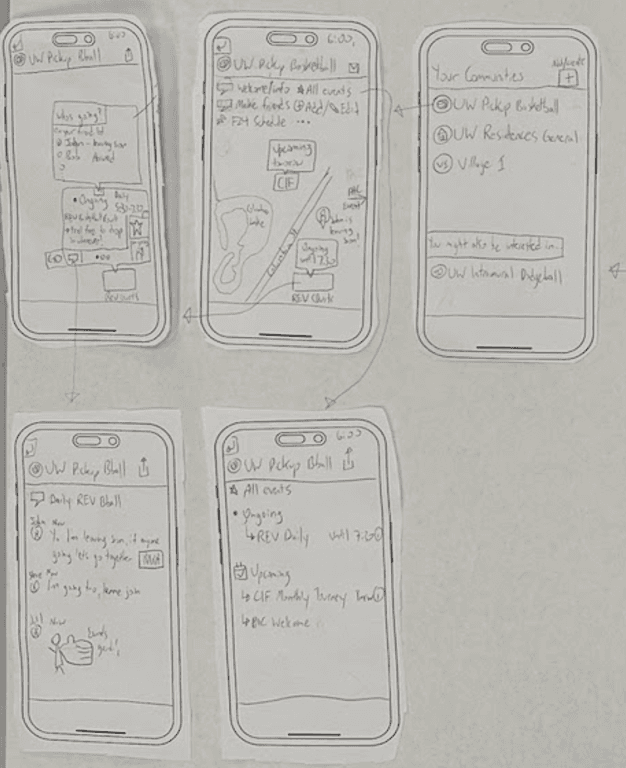
Our paper prototype evaluation sessions were instrumental in refining our core features. Through user feedback, we made significant adjustments to our initial concepts. For example, we simplified our original community creation feature into a more focused social feed with event integration, which was added in our final paper prototype and not in the initial feature designs below. This change made it more aligned with our users' needs and usage patterns.
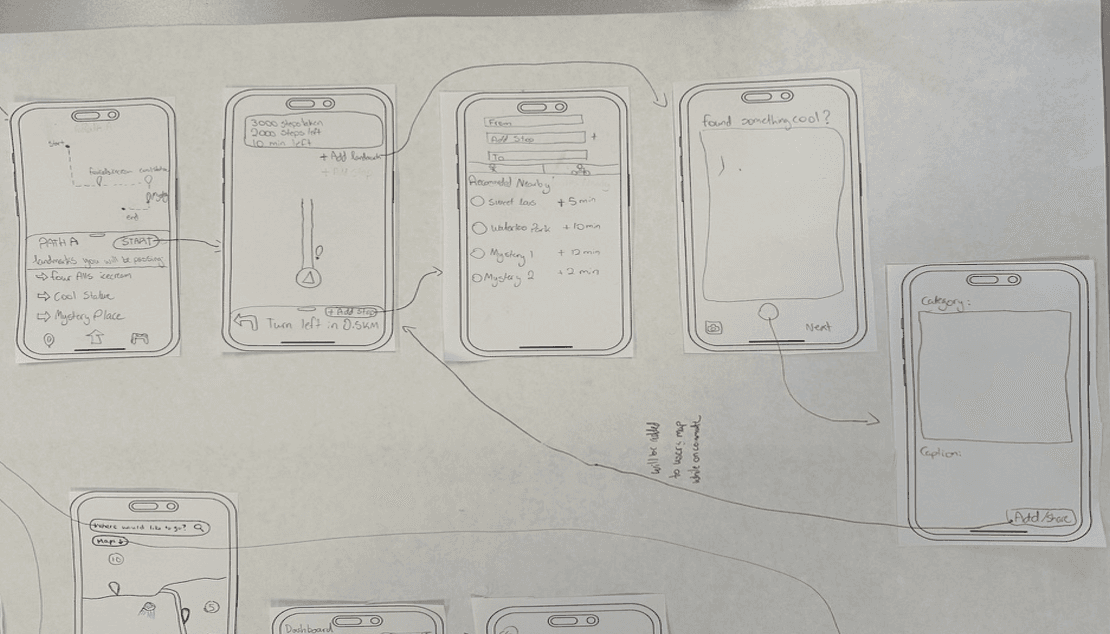
Scenic Routes & Landmarks
This feature allows users to discover and share local landmarks during their commute. The user flow starts with path selection, showing nearby points of interest, and enables real-time sharing of discoveries.
Design Principles
Shared stops appear in community tab, step count updates in real-time
Clear button functions and intuitive option indicators
Community Creation
Enables users to join and create local communities, discover events, and connect with others sharing similar interests. The flow includes community discovery, event exploration, and social interaction features.
Design Principles
Intuitive icons for different sections (chat bubbles, calendar icons)
Visual highlighting of active events and focused UI elements
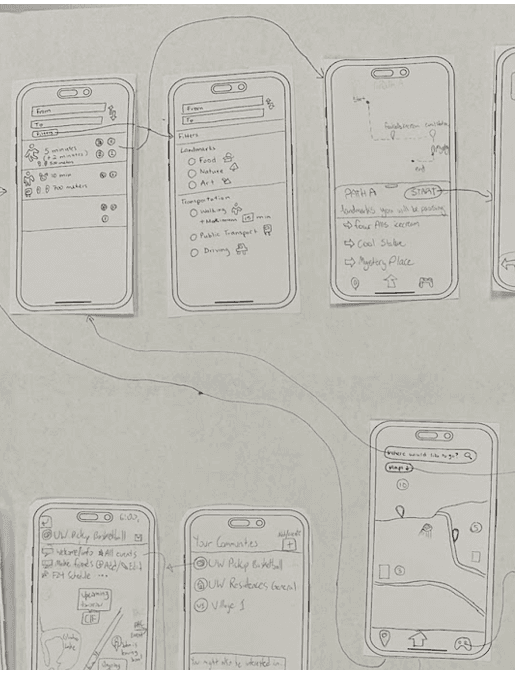
Route Selection
Provides flexible routing options prioritizing active transport while showcasing landmarks along the way. Users can preview routes and customize their journey preferences.
Design Principles
Interactive category exploration and route customization
Seamless transition between route selection and navigation
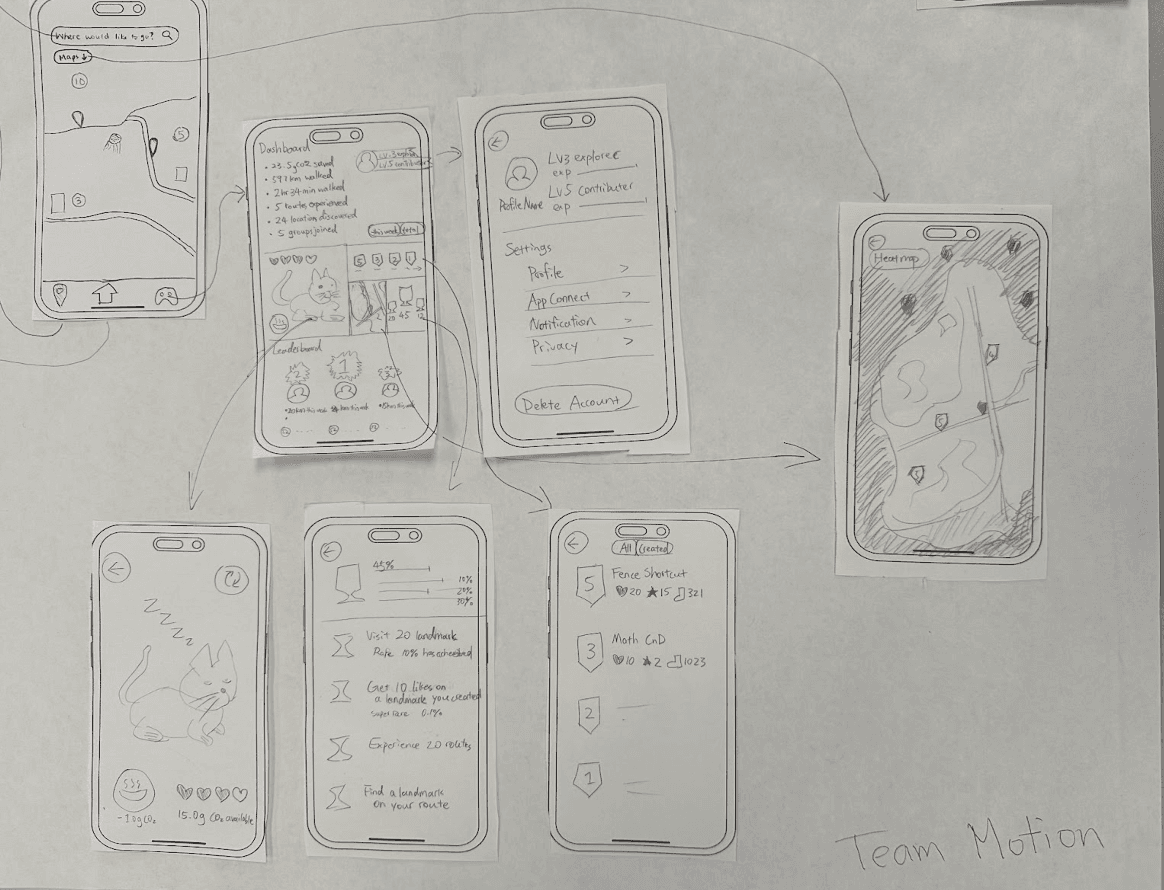
Gamification System
Motivates active transportation through achievements, virtual pets, and social competition. Features include progress tracking, rewards, and community engagement.
Design Principles
Real-time statistics and achievement notifications
Direct correlation between physical activity and virtual rewards
Base Screens
After finalizing our core features, we developed these foundational base screens to establish our approach for the complete prototype. These screens served as the building blocks that guided the design and interaction patterns for all subsequent screens in our paper prototype.
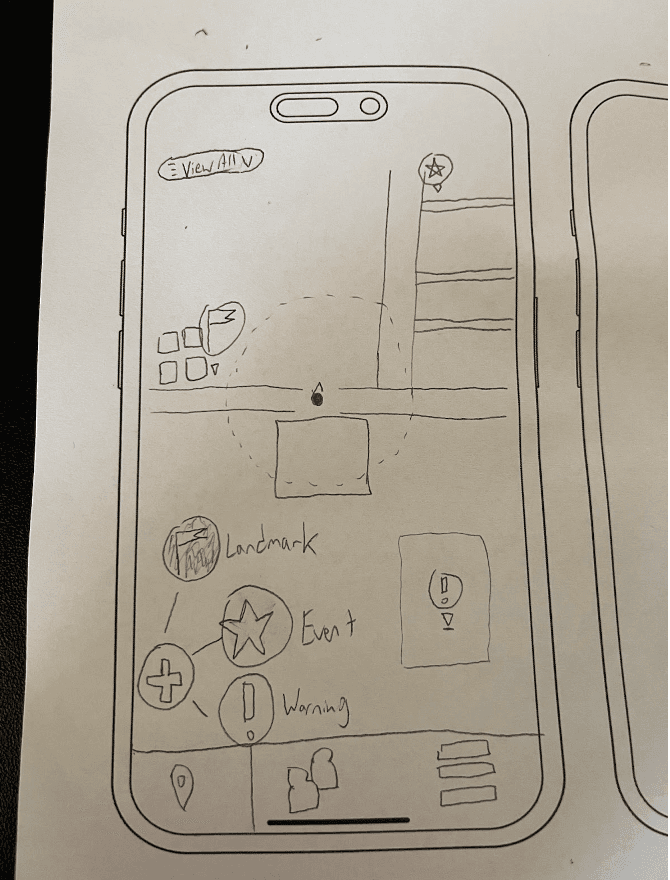
Map Pin Addition
Allows users to add landmarks, events, or warnings to the map through a spiral selector interface. Includes location verification and filtering options.
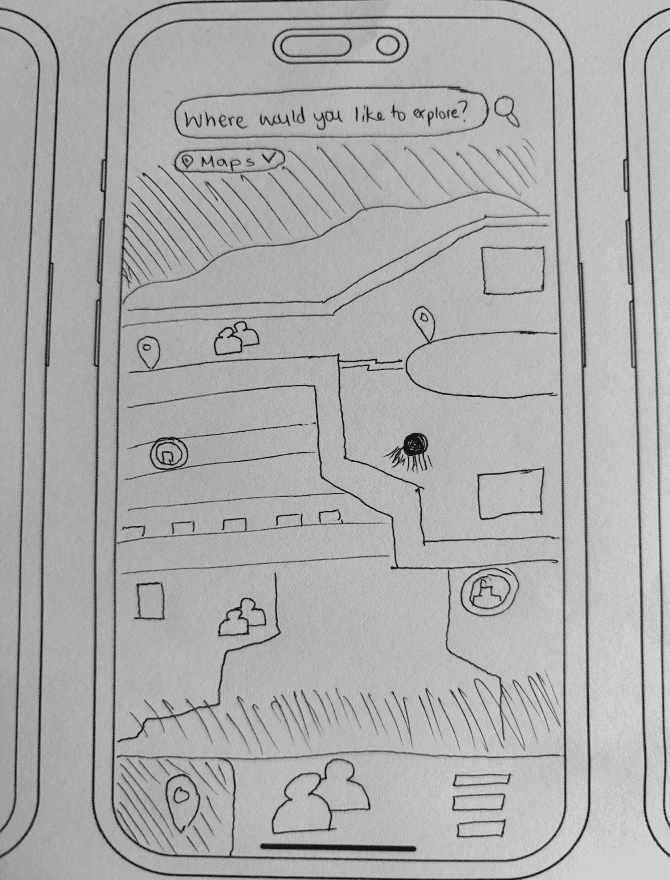
Application Entry Point
Main map view with search functionality and toggleable map overlays for landmarks, events, activity heatmap, and friend locations.
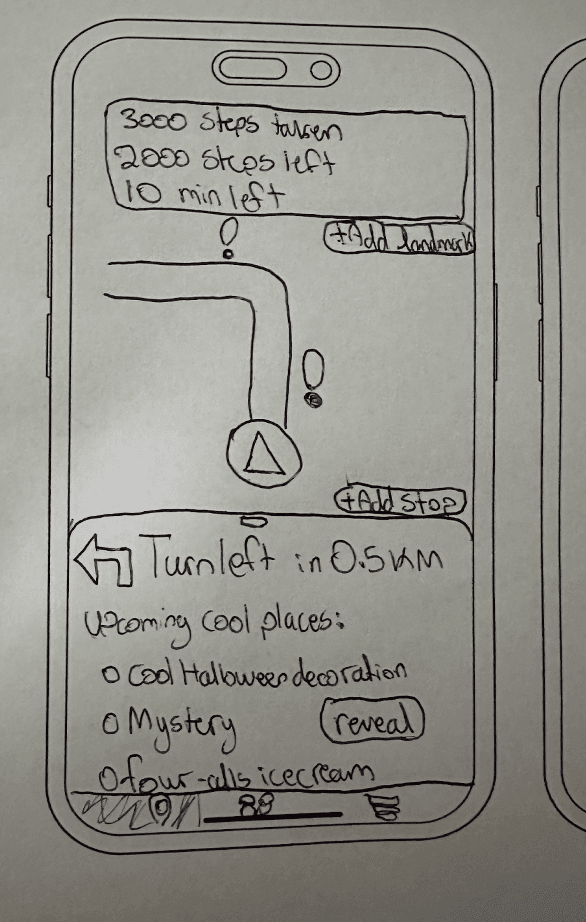
Navigation View
Active navigation screen with options to add stops, share discoveries, and track progress through step counting.
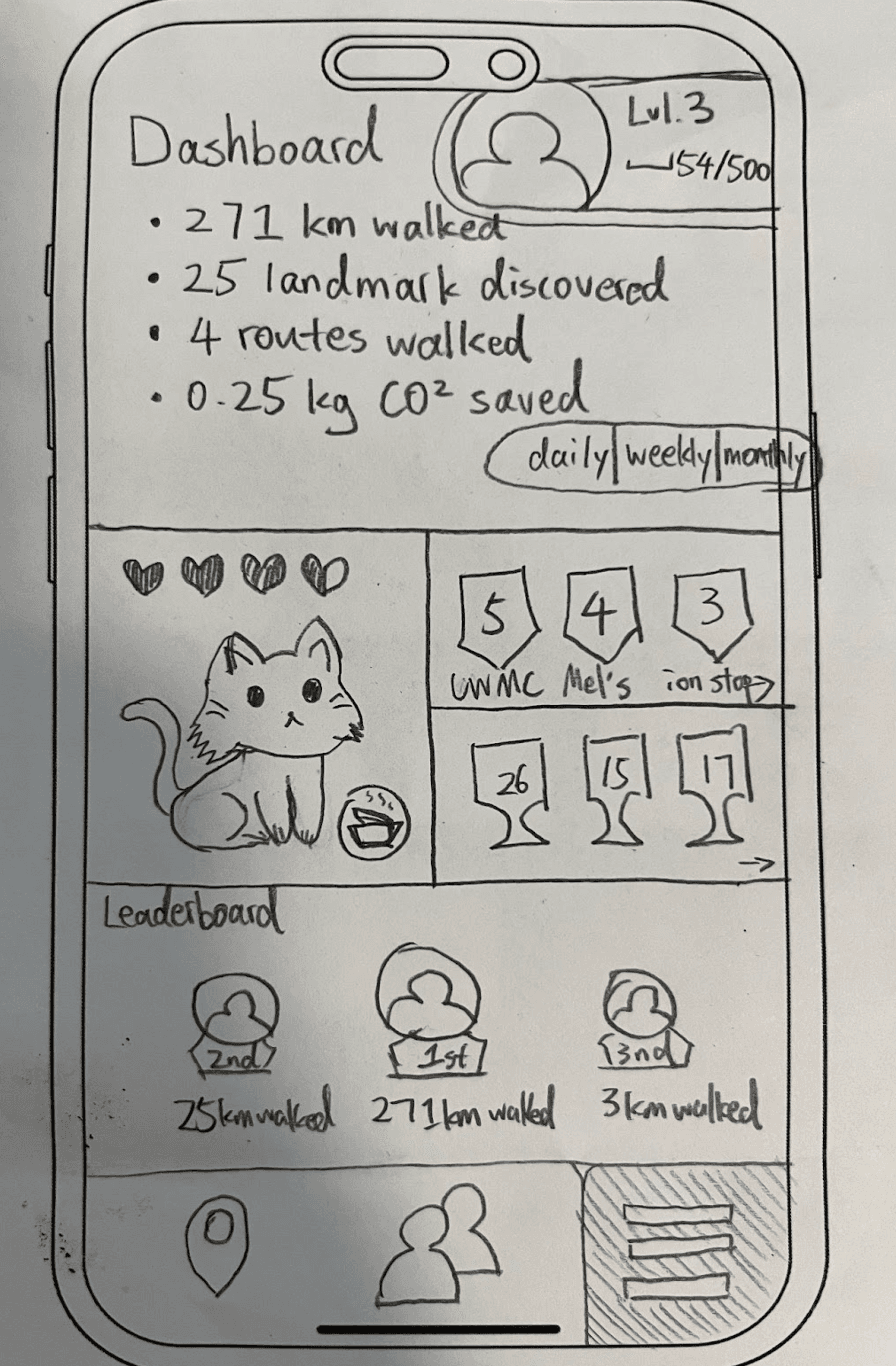
Gamification Dashboard
User metrics display with level progression, virtual pet interaction, badges, achievements, and social leaderboard.
Social Feed
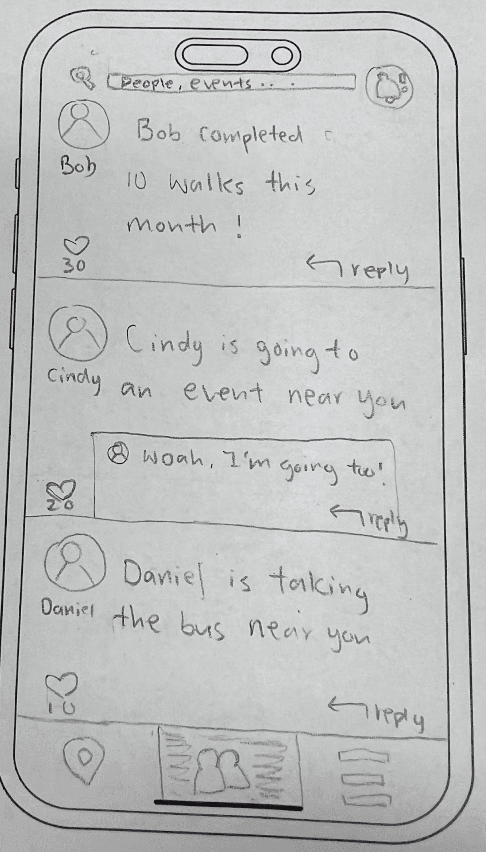
Friends activity feed showing achievements, event participation, and nearby commutes with search and notification features.
Complete Paper Prototype
Our comprehensive paper prototype consists of 26 screens demonstrating the complete user flow across all features, from initial navigation to social interactions and gamification elements.
Figure 1. Front Page
Landing screen that includes a map that shows nearby landmarks, allowing user to start navigation or add landmarks/events, and shows a scaffold of nearby recommended activities
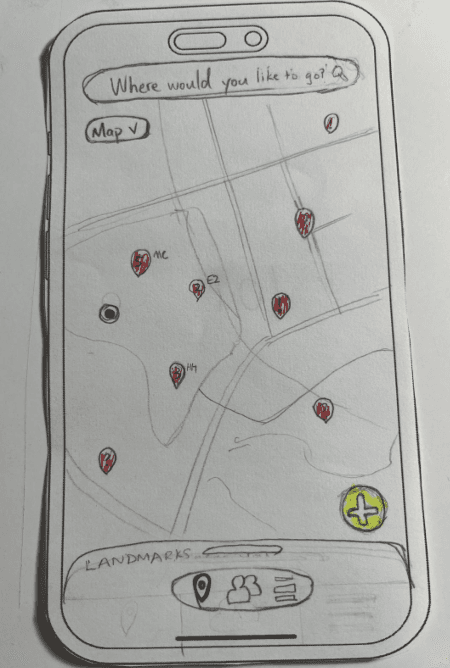
Figure 2. Front Page Interactive Components
Showing the available interactive components on the front page. The add button can add events or landmarks, and the dropdown can select available view on map
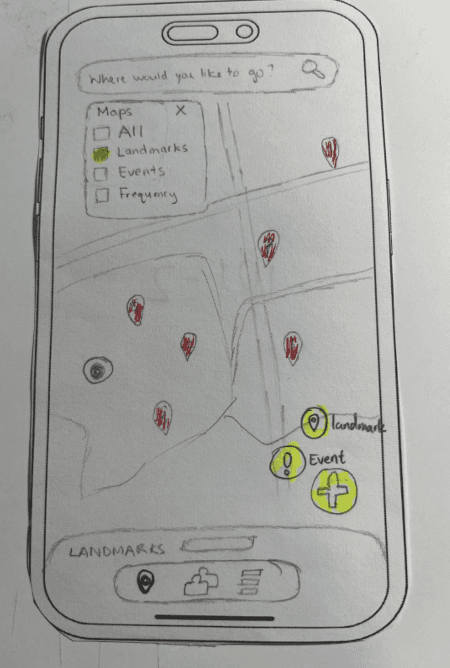
Figure 3. Location Selection
Search, select or enter your destination to begin a tailored walking and discovery experience
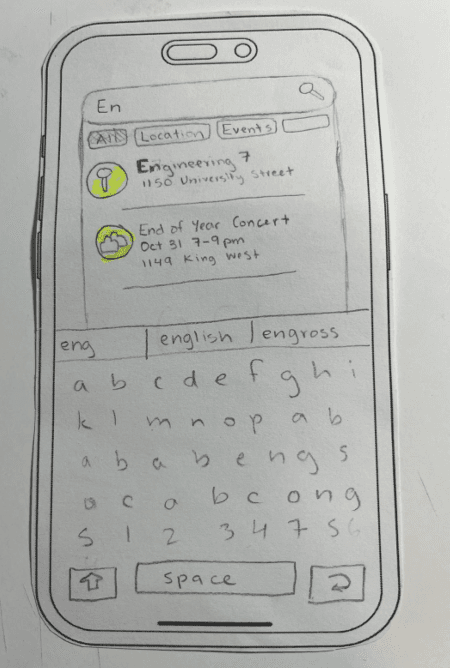
Figure 4. Route Selection
Choose from recommended routes based on preferences, including scenic paths and landmark-rich options
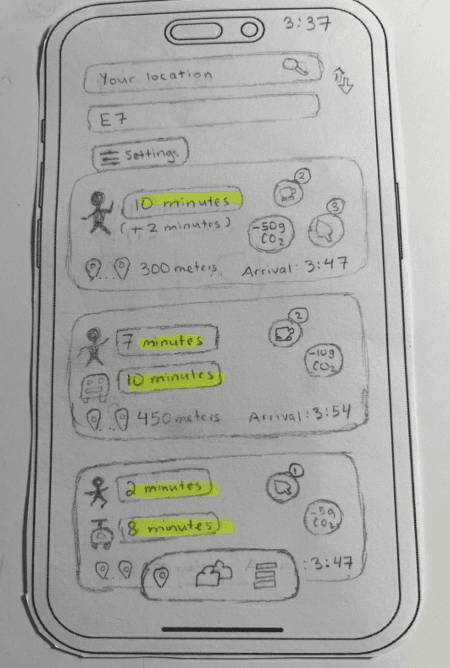
Figure 5. Route Preferences
Adjust route preferences like preferred landmarks, and transit integration for a customized walk
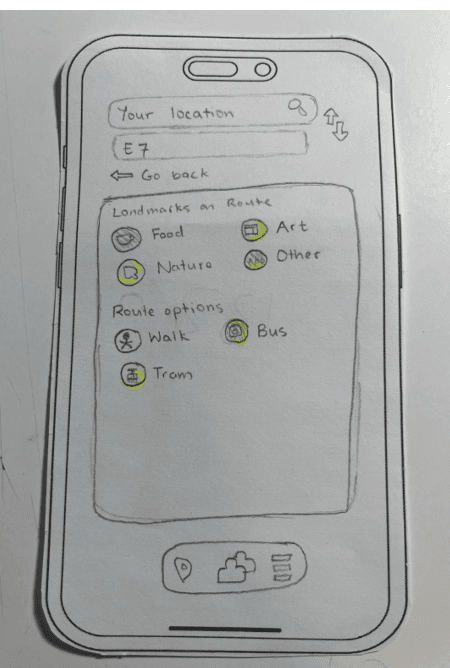
Figure 6. Navigation View
Walk along the chosen route with real-time guidance and interactive map features
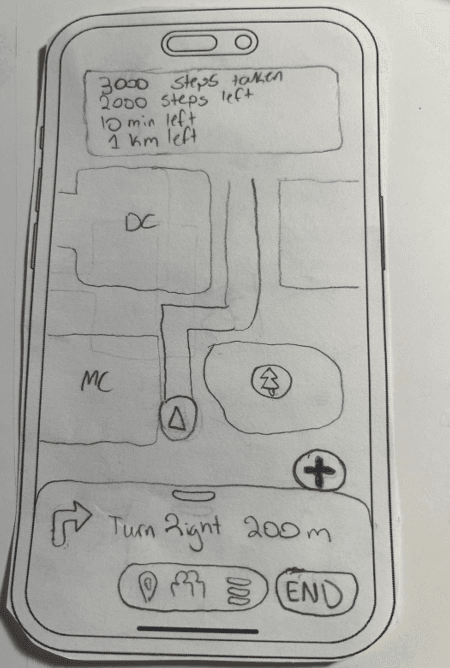
Figure 7. Nearby Landmark List
A list of landmarks along your route
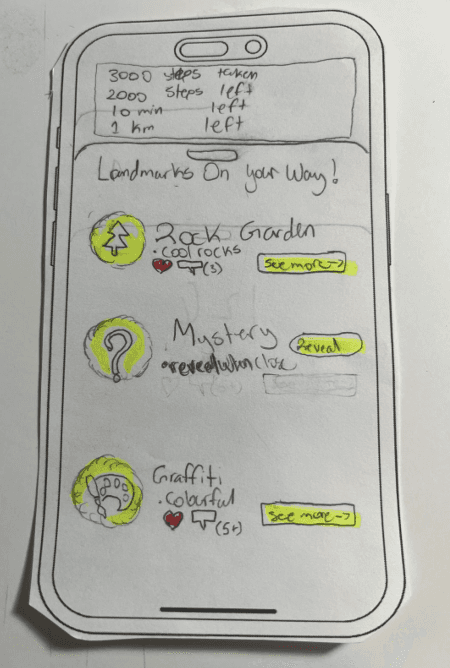
Figure 8. Hidden Landmark Reveal
Reveal and unlock hidden landmark when walking nearby
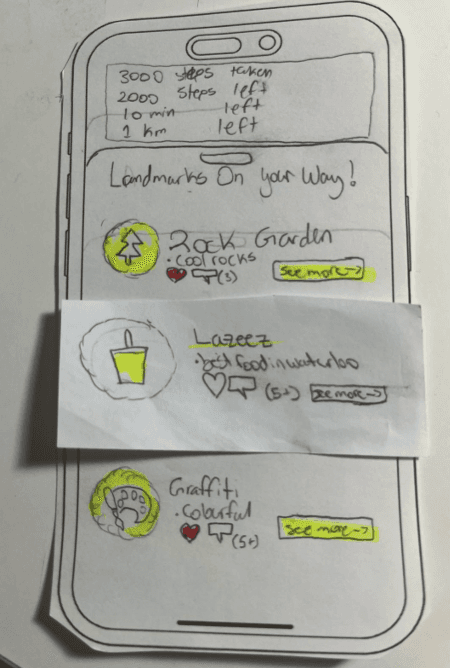
Figure 9. Landmark Details
Descriptions, images, user comments, and sharing options
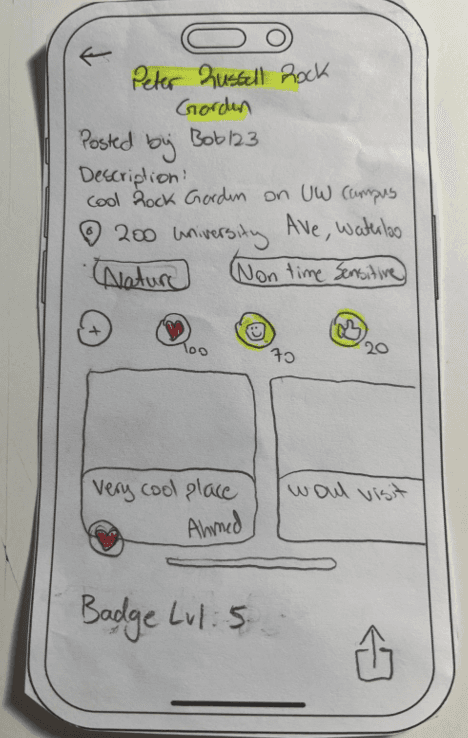
Figure 10. Add Landmark
Inputting details, photos, and settings to share points of interest with the community
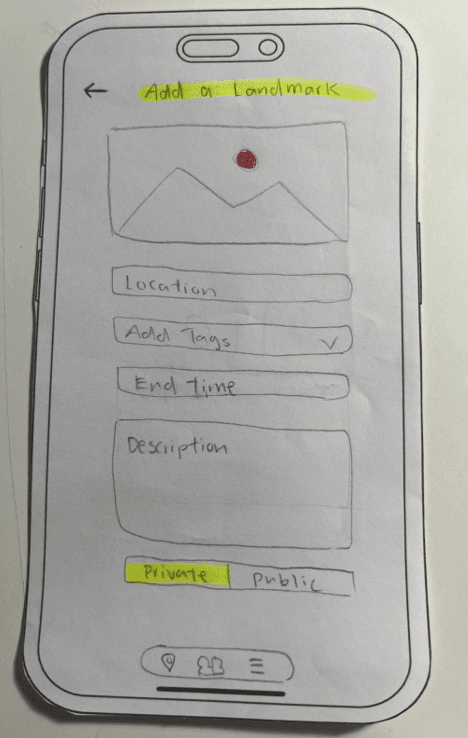
Figure 11. Navigation Summary
View your completed route summary with stats, achievements earned, and sharing options
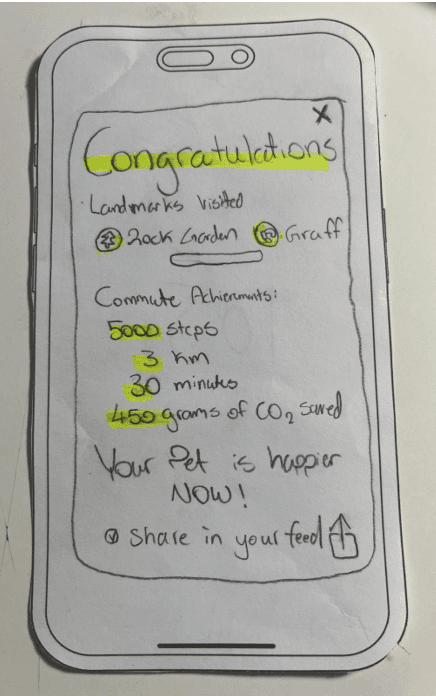
Figure 12. Discovery Scaffold
Explore upcoming events, local happenings, and new challenges tailored to user interests
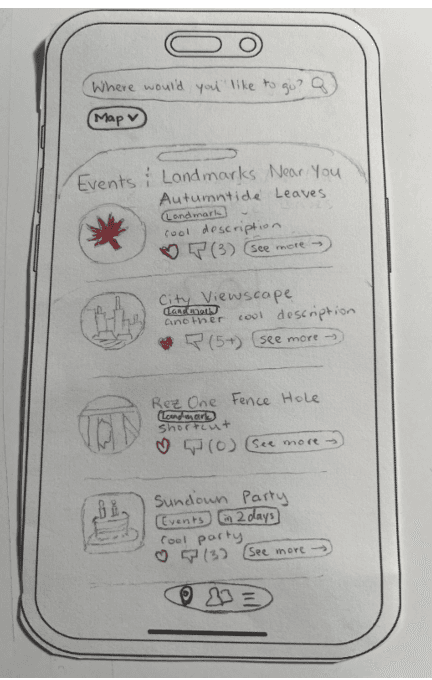
Figure 13. Event Details
Check event details, RSVP, and see which friends are attending upcoming events or social gatherings
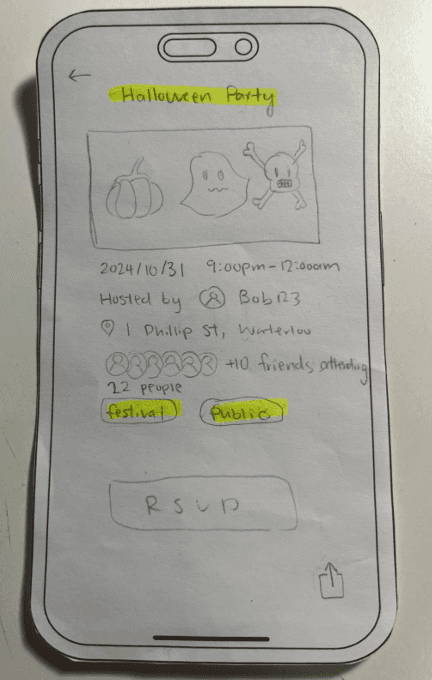
Figure 14. Activity Feed
Scroll through a feed of recent activities, shared landmarks, and community interactions from friends, or public
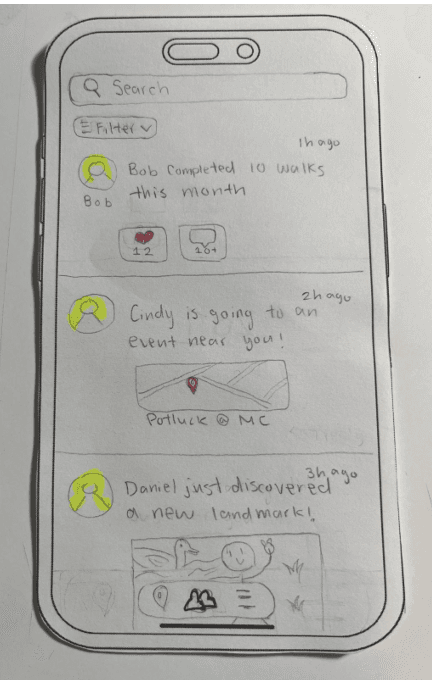
Figure 15. Activity Comments
Engage with activities by adding comments, reactions, and sharing feedback
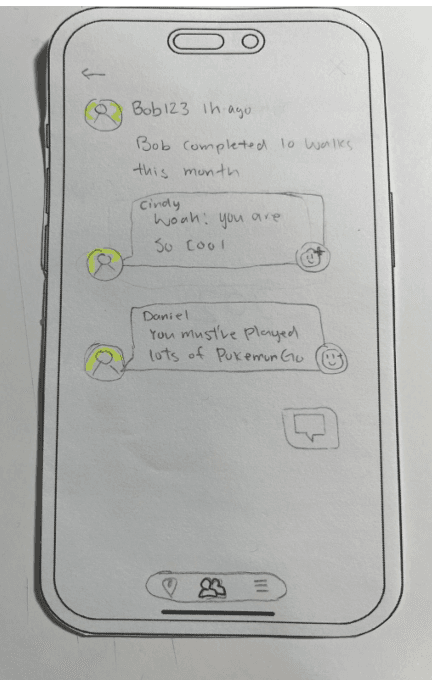
Figure 16. User Search
Find other users by name to expand social network
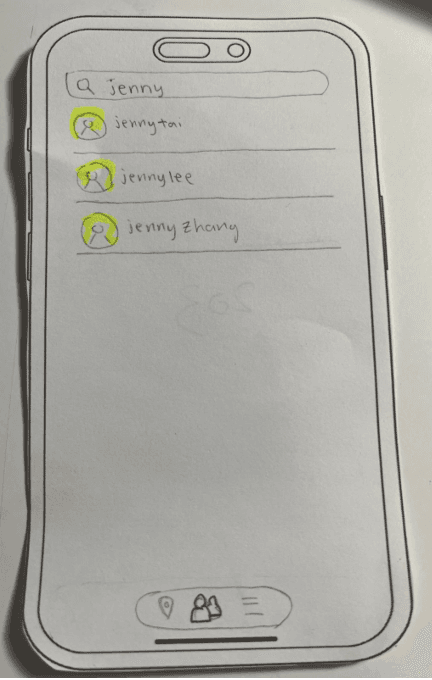
Figure 17. User Profile Overview
View and manage your profile, and an option to edit personal details, and stats and pet to view, and your activities
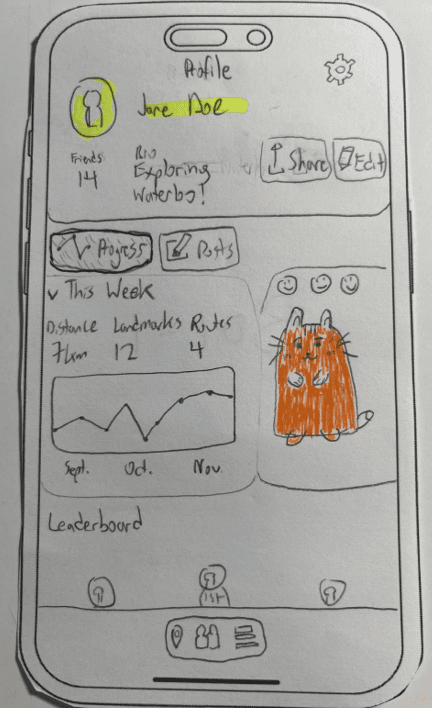
Figure 18. User Profile Details
Scroll down to see more with badges, leaderboard, trophy, current challenge
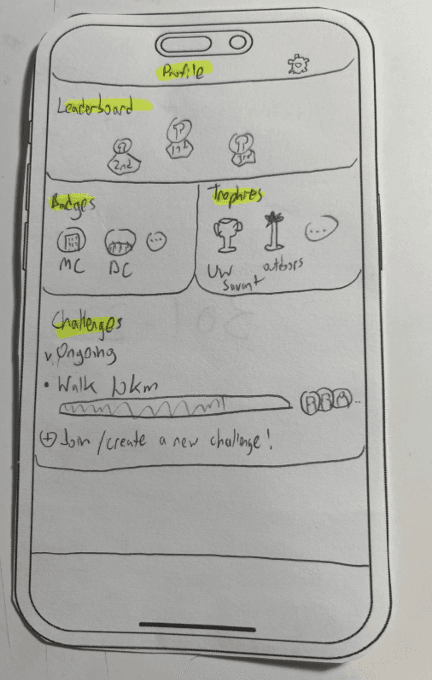
Figure 19. Profile Edit
Update profile details, interests, and preferences to personalize your app experience
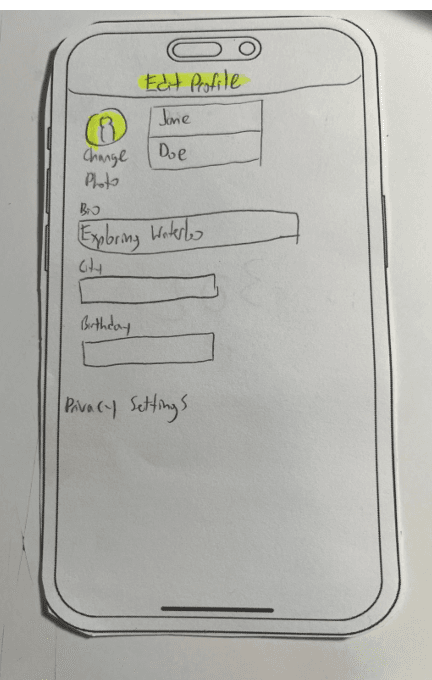
Figure 20. Pet Details
Interact with your virtual pet, feeding, and levelling it up based on earned activity points
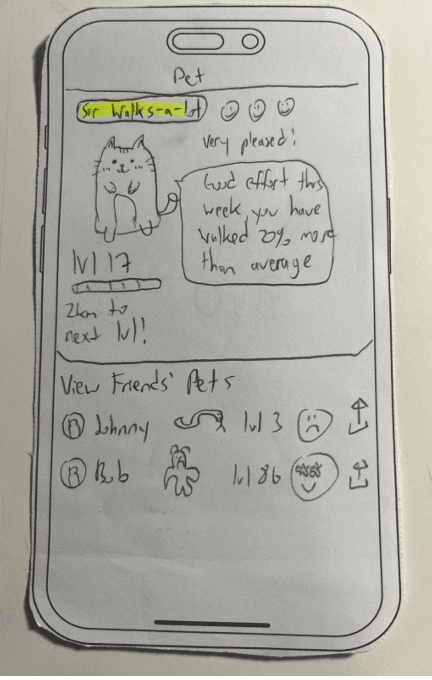
Figure 21. Badge Collection
Review badges earned from visiting landmarks and completing challenges, displayed in a collectible grid
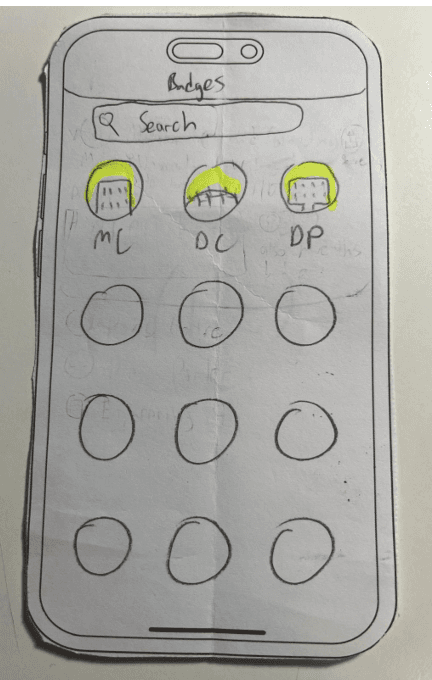
Figure 22. Trophy List
See a list of trophies for major milestones, completed challenges, and social achievements
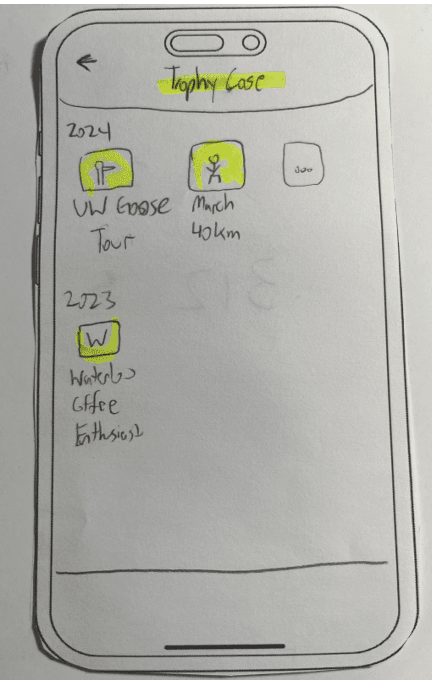
Figure 23. Trophy Details
View detailed information on each trophy, including criteria met and date earned
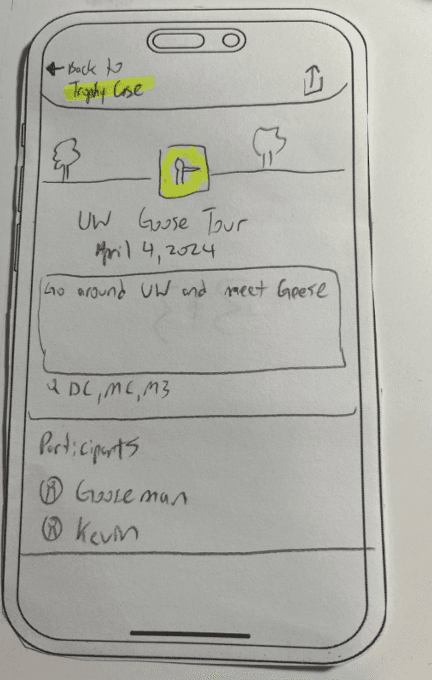
Figure 24. Leaderboard
Check leaderboard rankings and see where you stand among friends in walking activities
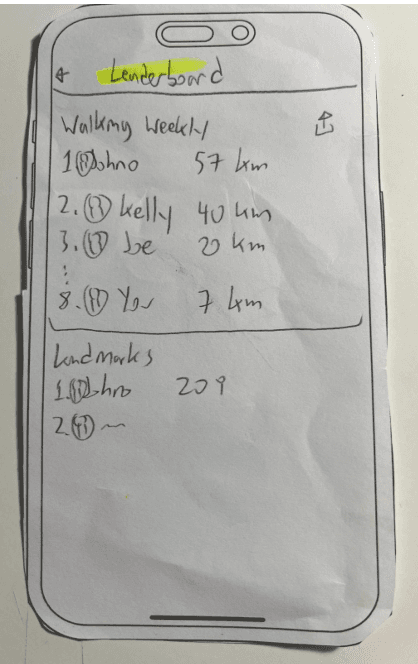
Figure 25. Challenge Details
View challenge objectives, participant list, and current status, with options to join or share
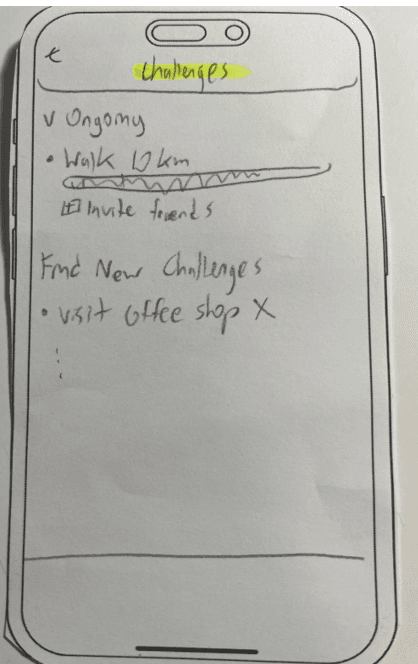
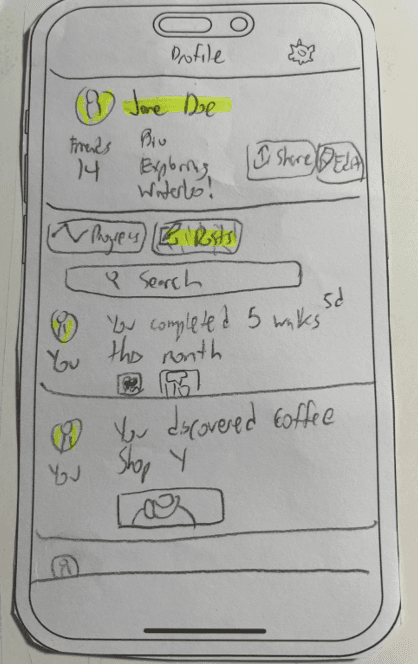
Figure 26. User Activity Profile
Visit profile to see recent activities posted by the user
404: Dark Pattern Not Found 🚫
© 2024 Motion